Guides
Task-oriented walkthroughs. Each one assumes the system is installed and running.
Pick by what you are doing
| You want to… | Guide |
|---|---|
Run only part of coding — or none of the Docker parts | Composing What Runs |
| Add a new coding agent | Agent Integration |
| Work behind a corporate proxy or VPN | Network Configuration |
| Decode the tmux status bar | Status Line |
| Investigate a health problem | Health Dashboard |
| Add, switch or debug an LLM provider | LLM Providers |
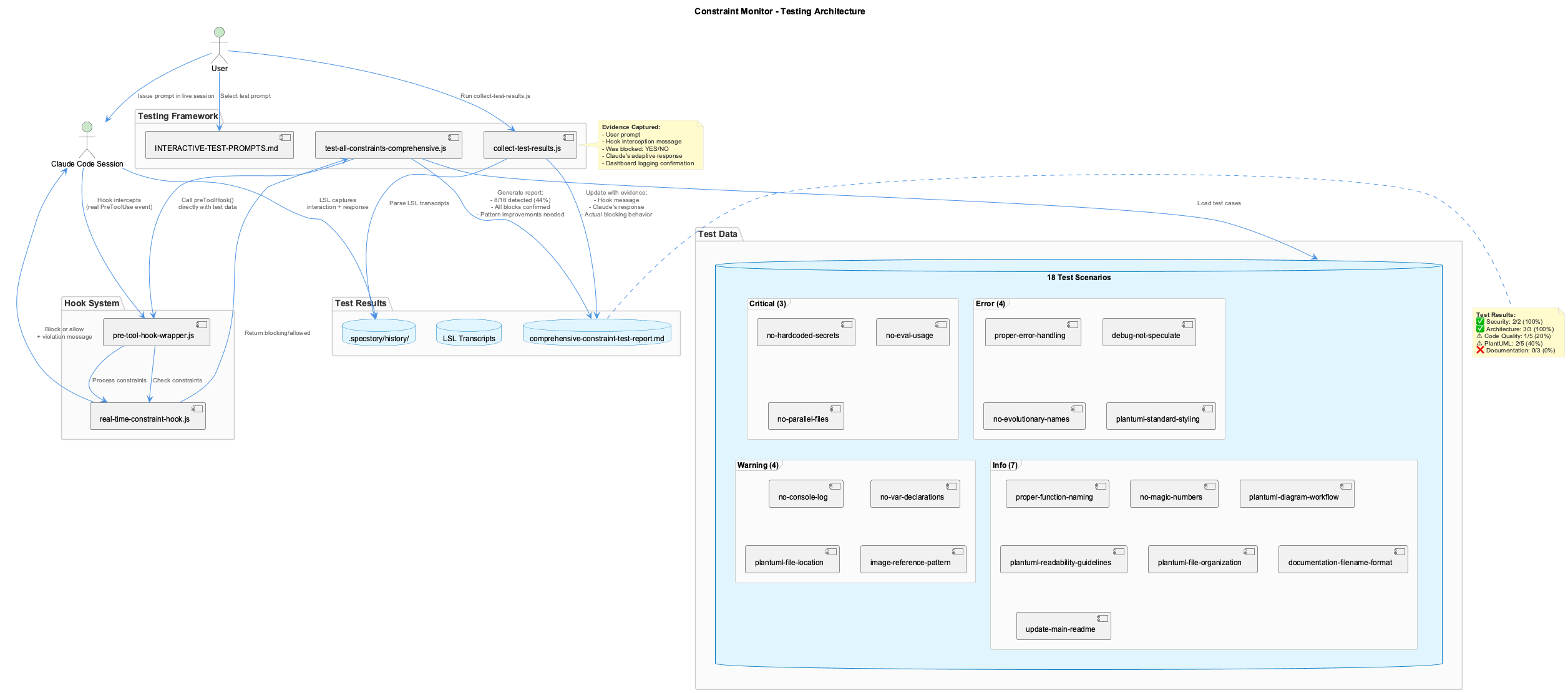
| Write or debug a constraint | Constraint Testing |
| Explore the knowledge graph | VKB Visualization |
| Understand how knowledge is captured | Knowledge Workflows |
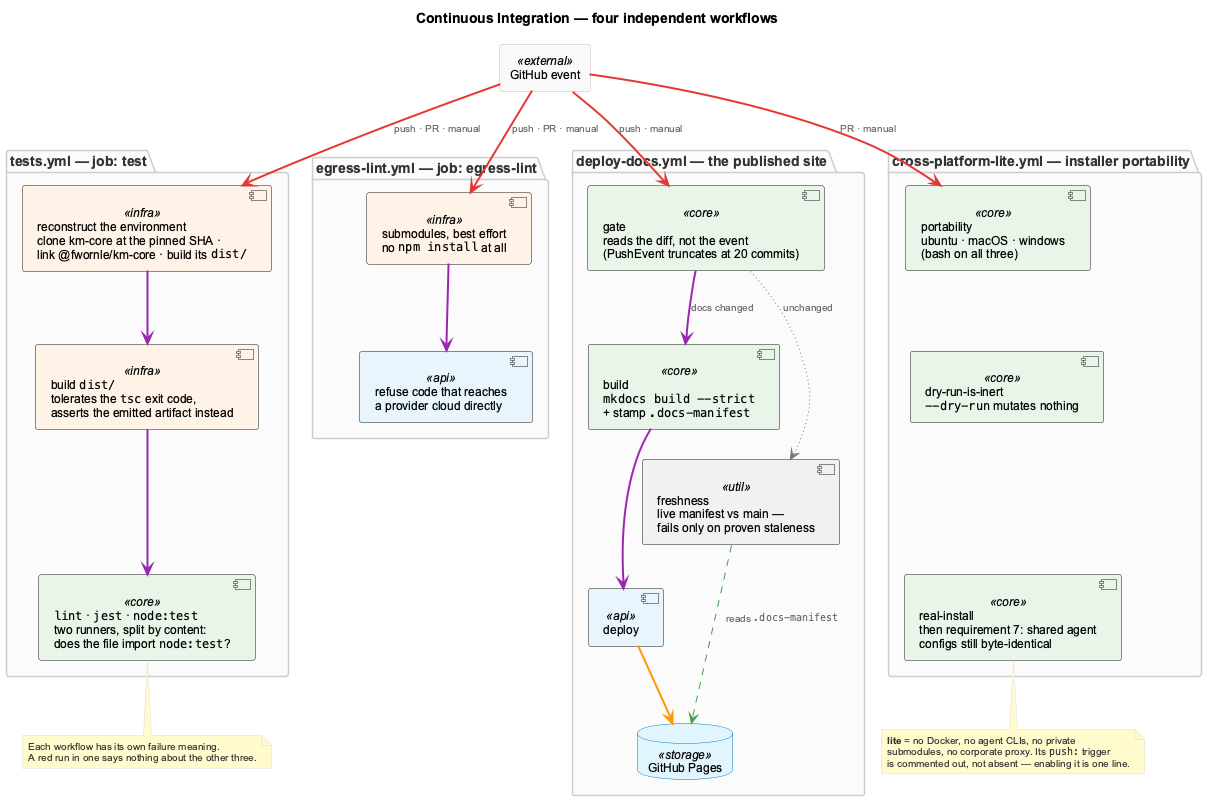
| Work out why CI went red | Continuous Integration |
| Write or use a skill | Skills System |
If you are new
Read Getting Started first, then Core Systems. The guides here go deeper than either and assume you already have something running.
What these guides are for
The Core Systems pages explain what each system is. These guides are about doing something with them — adding an agent, chasing a failure, changing a provider — and so carry complete configurations and worked examples rather than overviews.
Choosing one
| Guide | Reach for it when |
|---|---|
| Composing What Runs | Deciding which of the nine features to run — presets, dependencies, and what a pared-down install costs you |
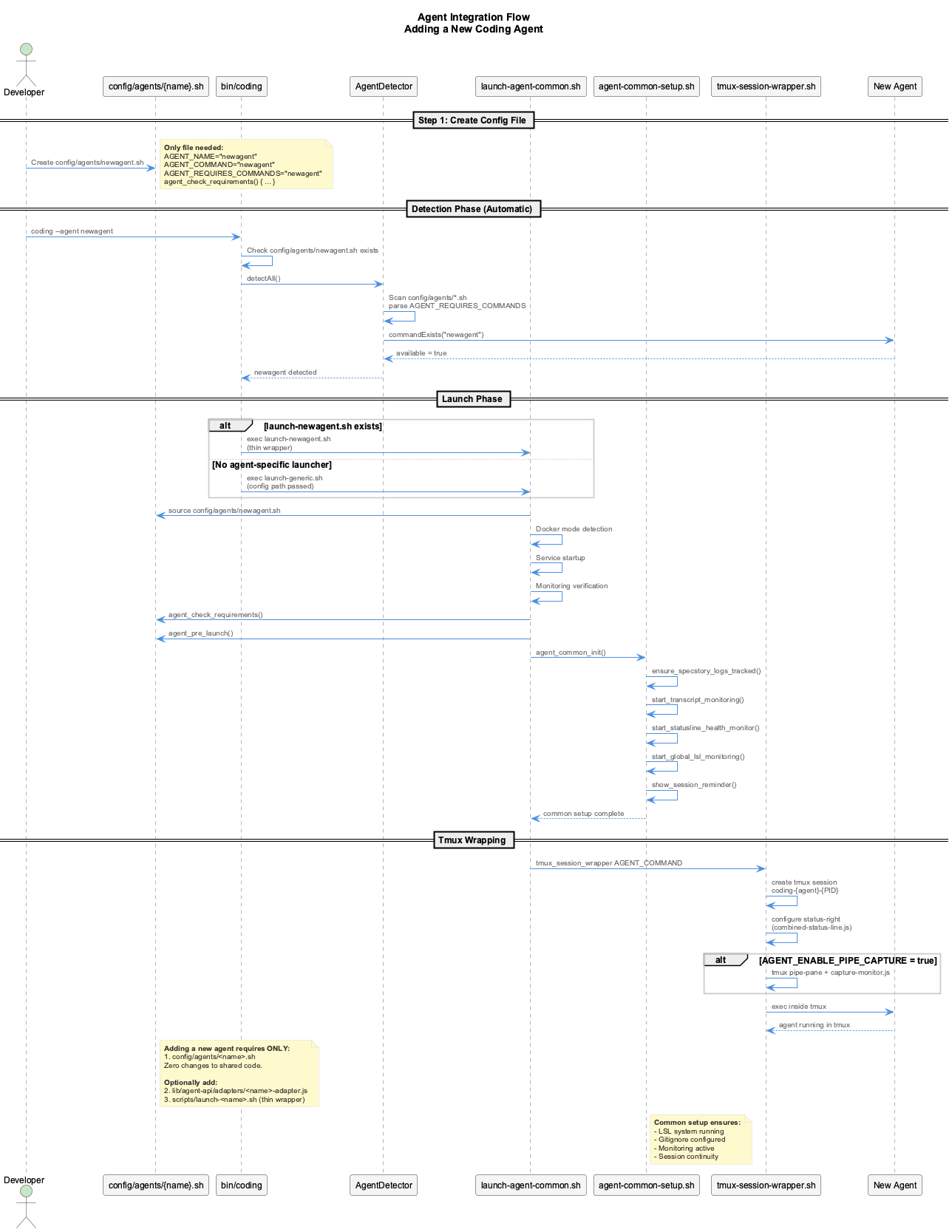
| Agent Integration | Adding a coding assistant to the system — the config contract, hooks and API |
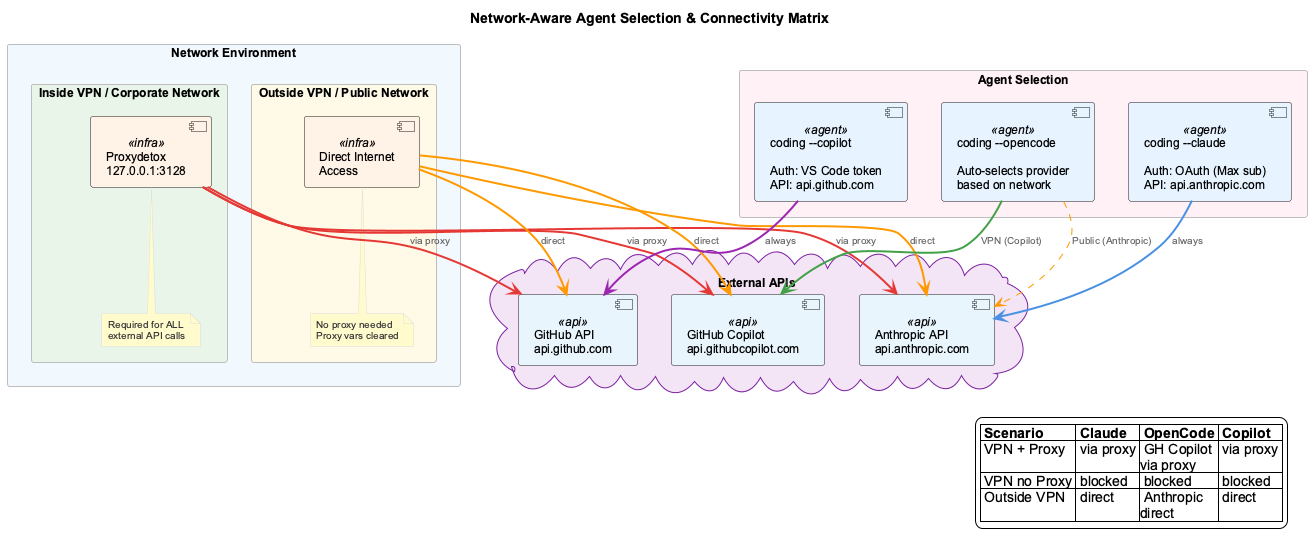
| Network Configuration | Behind a corporate proxy or VPN, or an agent's traffic is being routed unexpectedly |
| Status Line | Decoding the tmux bar — every indicator, and how to configure it |
| Health Dashboard | A service is unhealthy, or you want to understand the supervision architecture |
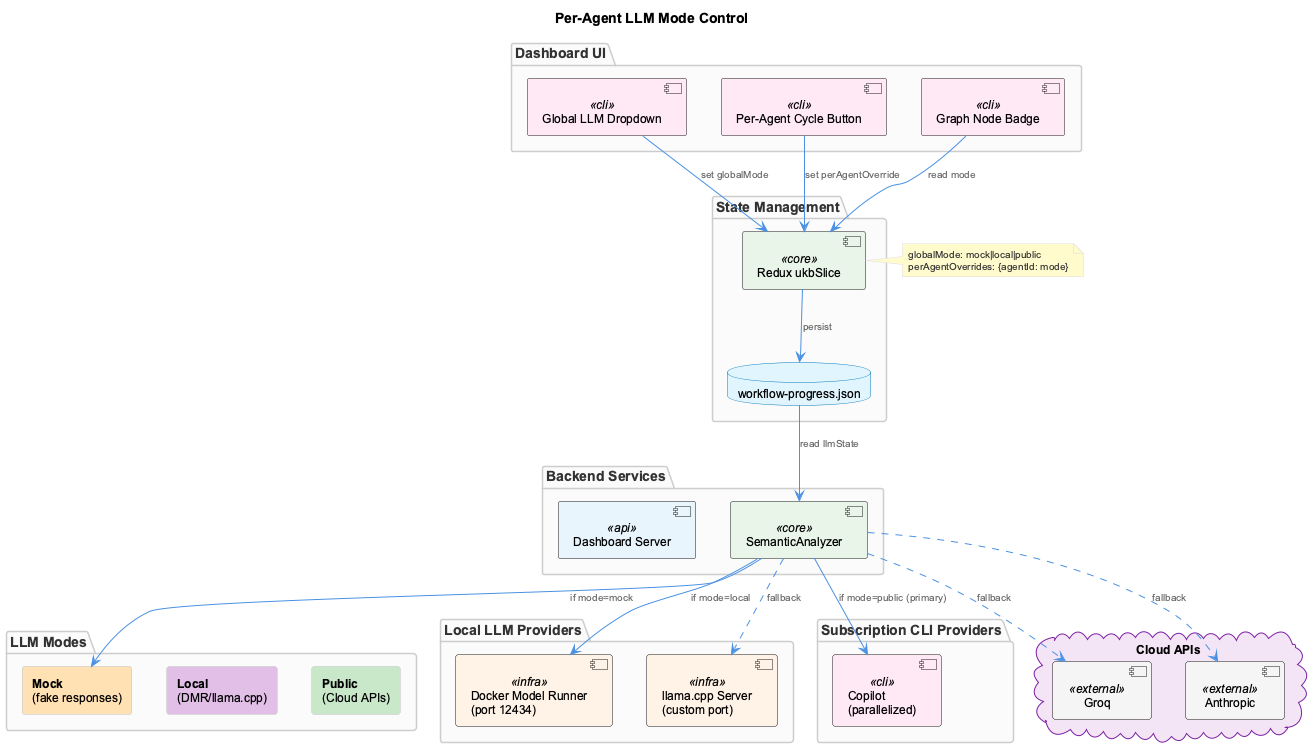
| LLM Providers | Adding, switching or troubleshooting a cloud or local provider |
| Constraint Testing | Writing a constraint, or one is firing when it should not |
| VKB Visualization | Exploring the knowledge graph, or driving the viewer programmatically |
| Knowledge Workflows | Understanding how knowledge is captured, processed and stored |
| Continuous Integration | A CI run went red, or you want to know what a green one actually proves |
| Skills System | Writing a skill, or working out why one did not trigger |
Two that pay off early
Status Line. It is on screen the entire time you work, and it reports health, cost and logging state continuously. Learning to read it turns most "is something broken?" questions into a glance.
Health Dashboard. When something is broken, this is where the answer is. It also explains the layered supervision model, which is what makes an unresponsive-but-alive process detectable at all.
Related
- Getting Started — installation and first session
- Core Systems — what each system does
- Architecture — why it is built this way
- Troubleshooting — symptom-first index
Comprehensive reference guides with detailed explanations, complete configurations, and visual walkthroughs.
Complete emoji reference and configuration
Status Line Guide
6-layer protection architecture, 9-class system design, and UKB workflow monitoring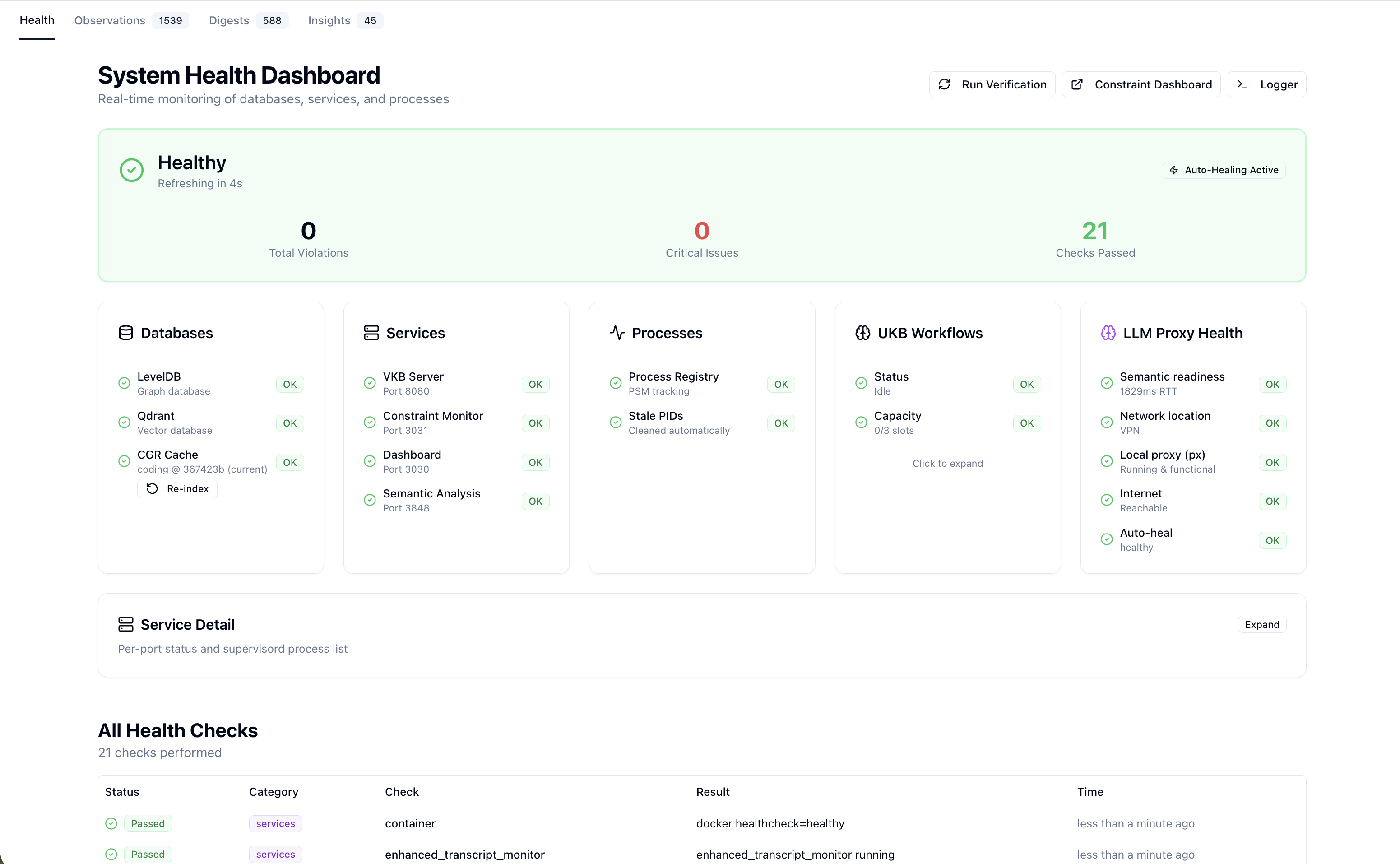
Health Dashboard
Interactive knowledge graph exploration, CLI commands, and HTTP API endpoints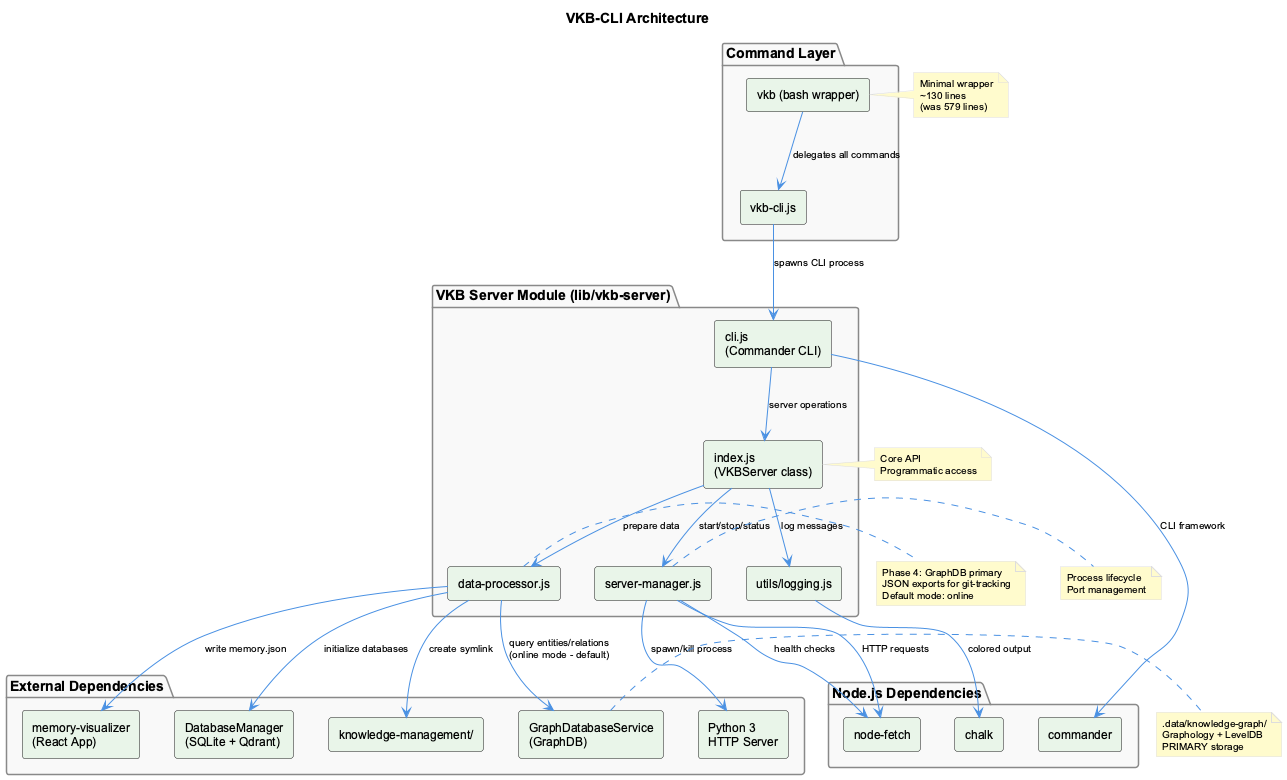
VKB Visualization
14-agent UKB system, continuous learning, and SmartOrchestrator coordination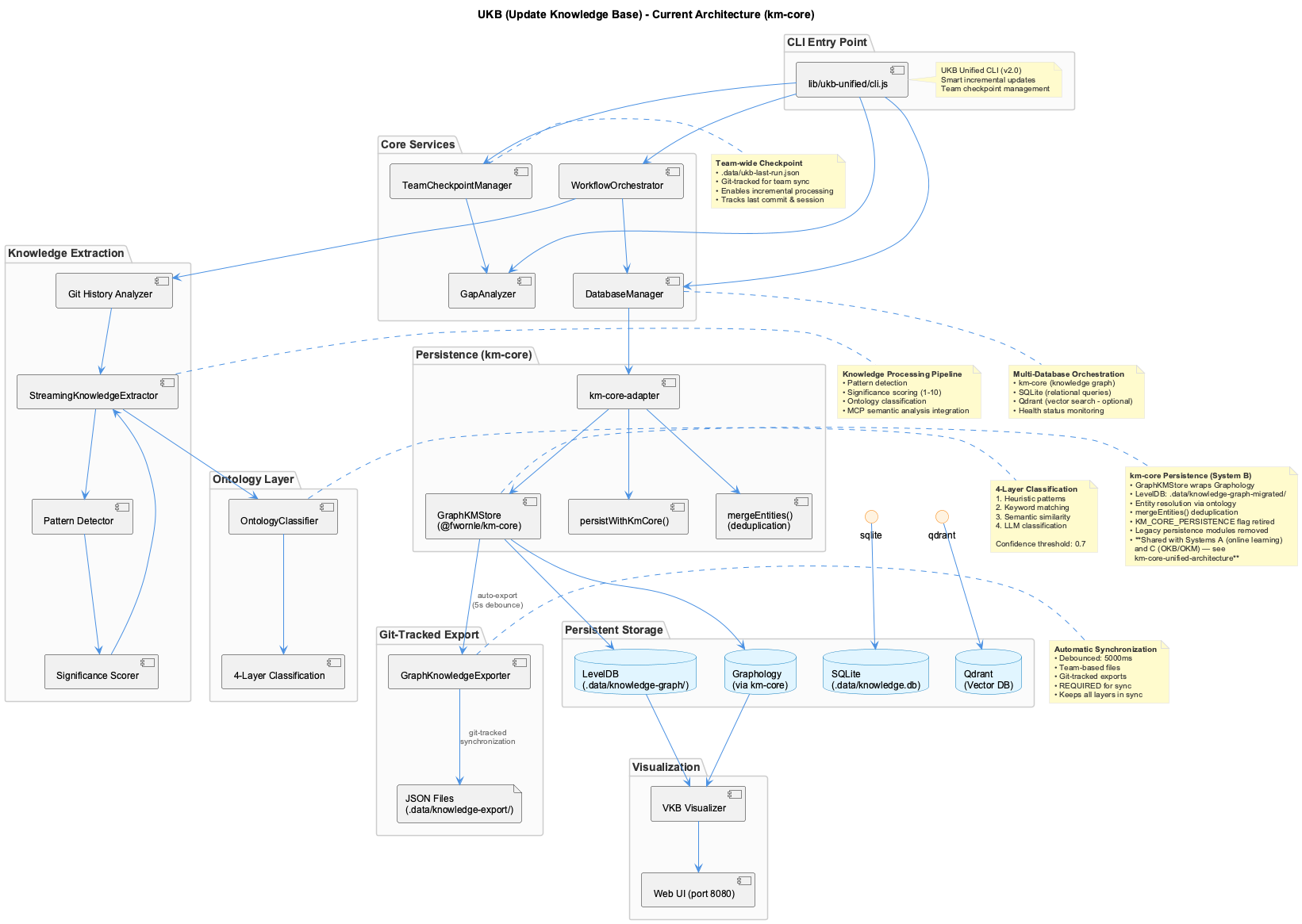
Knowledge Workflows
When to Use These Guides
| Guide | Use When... |
|---|---|
| Agent Integration | Adding a new AI coding assistant to the system |
| Status Line | You need to understand status bar indicators |
| Health Dashboard | Investigating health issues or understanding the monitoring architecture |
| Constraint Testing | Adding new constraints, debugging detection, or testing enforcement |
| VKB Visualization | Exploring knowledge graphs or integrating VKB programmatically |
| Knowledge Workflows | Understanding how knowledge is captured, processed, and stored |
| Continuous Integration | A CI run went red, or you need to know what a green one actually proves |
| Network Configuration | Working behind a corporate proxy or VPN, or routing an agent's API traffic |
| LLM Providers | Adding, switching, or troubleshooting a cloud or local LLM provider |
Quick Links
- Getting Started - Initial setup and configuration
- Core Systems - Overview of LSL, UKB/VKB, Constraints
- Architecture - System architecture and data flow
- Troubleshooting - Common issues and solutions