Getting Started
Install, choose what to run, start your first session, and see where what coding learns is kept — about five minutes for the harness tier, a little longer with Docker.
Four commands
git clone --recurse-submodules https://github.com/fwornle/coding ~/Agentic/coding
cd ~/Agentic/coding && ./install.sh
source ~/.zshrc          # or ~/.bashrc
cd ~/my-project && coding
Two questions
The installer asks whether bare agents should be observed too (Enter = no, only sessions started via coding), and which tier to install:
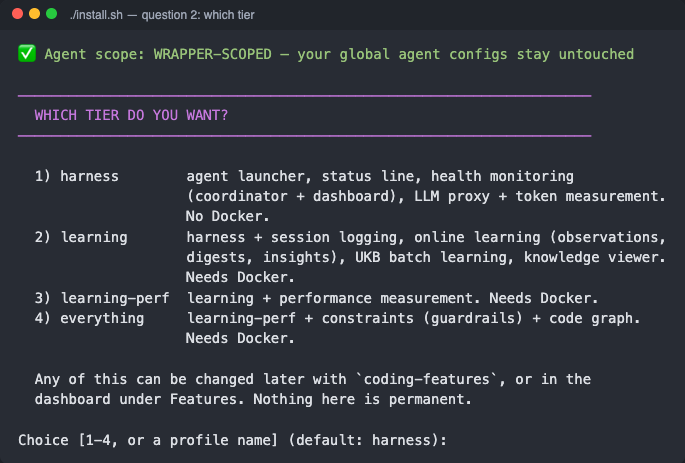
harness needs no Docker. learning and up add session logging, online learning and the knowledge viewer, and need Docker running. Change it any time with coding-features profile <tier> or in the dashboard. Details: Installation.
The first launch in a repo
With a learning tier, the first coding in a repo asks once where its learned data goes — Enter creates a private <repo>-history, a teammate's URL shares theirs, skip keeps it local. See Per-Repo Tenancy.
Check it worked
The status line under the agent shows [🏥●] green when the system is healthy. For the full picture open the dashboard at localhost:3032.
Then: Configuration for LLM provider keys, or Verify & Repair if something is not green.
What you need
| Tool | For |
|---|---|
| Node.js 22 LTS+ | the launcher and every host service (18 and 20 are EOL) |
| Git | the repo, its submodules, and your learning repos |
jq, tmux | the scripts, and the session wrapper with the shared status bar |
| Docker (running) | learning tiers and up only — the knowledge services are containers |
gh, logged in to bmw.ghe.com | optional: lets the first launch in a repo create its private <repo>-history for you |
macOS, Linux, and Windows through WSL (with systemd enabled) are supported.
Installing
git clone --recurse-submodules https://github.com/fwornle/coding ~/Agentic/coding
cd ~/Agentic/coding && ./install.sh
source ~/.zshrc
The installer first lists everything it would touch (./install.sh --dry-run stops there), then asks two questions — agent scope and tier — and installs only what that tier needs:
| Tier | Adds | Docker |
|---|---|---|
harness | agent launcher, status line, health monitoring, LLM proxy + token measurement | no |
learning | session logging, observations → digests → insights, UKB batch learning, knowledge viewer | yes |
learning-perf | performance measurement | yes |
everything | constraints (guardrails) + code graph | yes |
Unattended: ./install.sh --yes --features=learning. The full walkthrough with every prompt is on Installation.
Your first session
cd ~/my-project
coding                  # the best available agent
coding --claude         # or pick one: --copilot, --opencode, --pi
coding --project DIR    # start in another directory
The agent opens inside a tmux session with the shared status bar along the bottom:
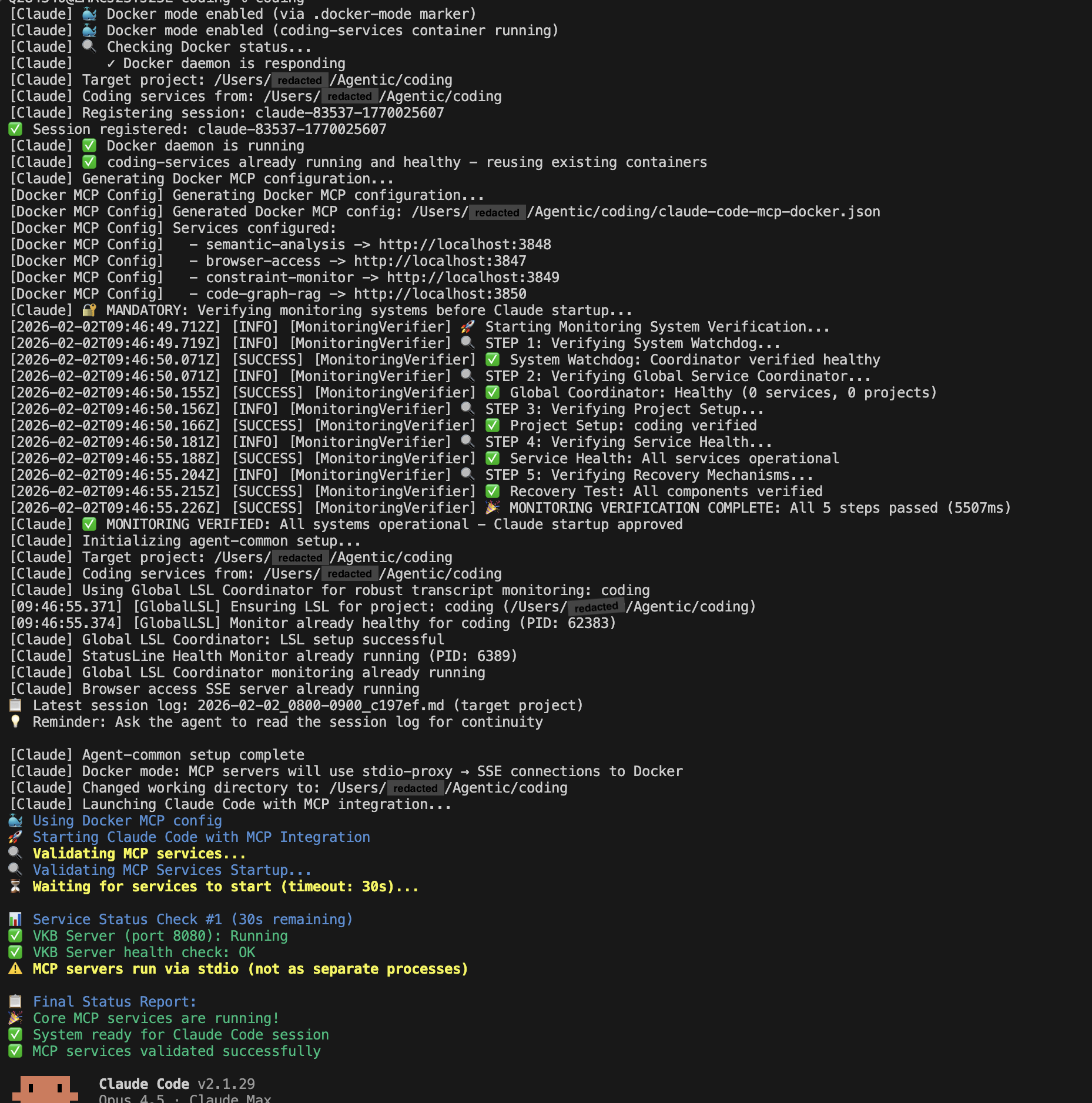
Launching the agent's own CLI directly skips session logging, knowledge injection and health monitoring — prefer coding.
Where what it learns goes
Everything learned in a repo is kept in that repo's .coding/ folder — session logs, observations, insights, knowledge-graph slice, token usage. On the first launch you decide whether that folder is a private <repo>-history repo (shareable with teammates through git), or local only. Commits happen automatically; pushing is always your call:
Group repos into teams in Dashboard → Teams; the knowledge viewer follows that selection. See Per-Repo Tenancy and Teams & Shared Learning.
Checking health
The status line's [🏥●] is the summary. The dashboard at localhost:3032 shows each database, service and process, and Run Verification re-checks everything on demand:

From a shell:
coding-features status                 # which features are on, and why any are off
curl -s localhost:3034/health          # the health coordinator
Verify & Repair works through each service when something is red.
How the pieces fit
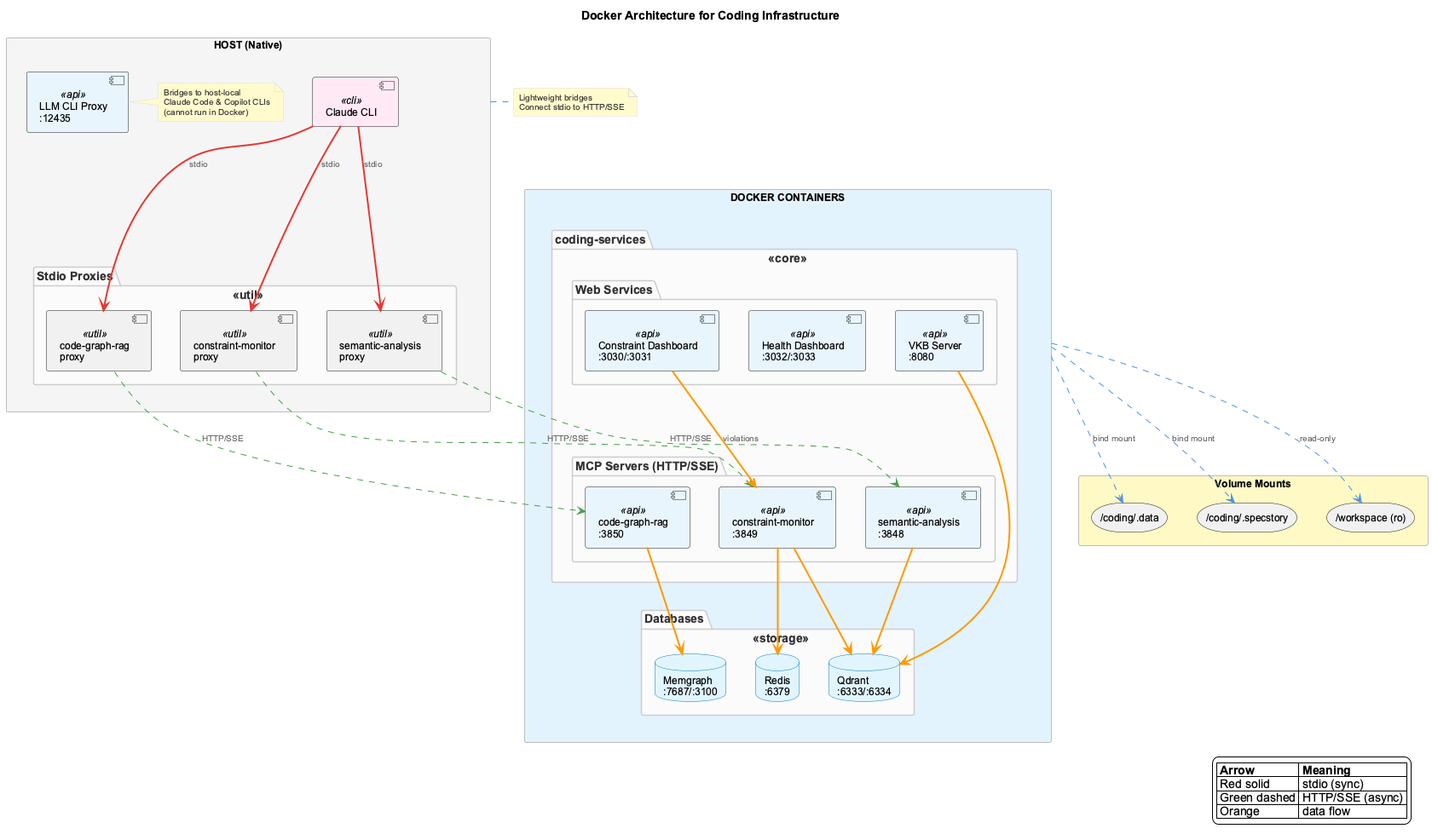
coding is a launcher. It resolves which features are on (~/.coding/features.yaml, written by the installer), starts or reuses what those features need, prepares the repo's learning checkout, and opens the agent CLI inside a tmux session carrying the shared status bar.
| Runs on the host | Runs in Docker (learning tiers and up) |
|---|---|
| the launcher, the agent CLI | coding-services — semantic analysis (UKB), constraint monitor, code graph, dashboard |
health coordinator :3034, LLM proxy :12435, obs-api :12436 | Qdrant (vectors), Redis |
| session loggers, sub-agent capture, sweepers (launchd / systemd user units) |
With only harness features on, the launcher never starts Docker.
Prerequisites
| Tool | Required | Purpose |
|---|---|---|
| Node.js 22 LTS+ | yes | the launcher and every host service (18/20 are EOL) |
| Git | yes | the repo, submodules, learning repos |
| jq | yes | JSON processing in scripts |
| tmux | yes | session wrapping and the status bar |
| Docker | learning and up | container runtime (Docker Desktop or Engine), running |
| gh | optional | creates private <repo>-history repos on first launch |
sudo apt update && sudo apt install -y git nodejs npm jq tmux gh
curl -fsSL https://get.docker.com | sh   # learning tiers only
Host services run as systemd user units; loginctl enable-linger $USER keeps them running after logout.
Install inside a WSL2 distribution with systemd enabled (/etc/wsl.conf: [boot] systemd=true), then as on Linux. Docker Desktop's WSL integration provides Docker for the learning tiers. There is no native Windows installer.
Install
git clone --recurse-submodules https://github.com/fwornle/coding ~/Agentic/coding
cd ~/Agentic/coding
./install.sh            # asks: agent scope, tier
source ~/.zshrc         # or ~/.bashrc
| Flag | Effect |
|---|---|
--dry-run | print the impact manifest and stop — nothing changes |
--features=<tier> | choose the tier without asking (harness, learning, learning-perf, everything, or a feature list) |
--yes | unattended; take the defaults |
--global-agents | also observe bare claude / copilot / opencode (writes their global configs) |
Everything is reversible with ./uninstall.sh. The full flow, with every prompt, is on Installation.
What each tier installs
| Feature | harness | learning | learning-perf | everything |
|---|---|---|---|---|
| launcher, status line, health monitoring | ✓ | ✓ | ✓ | ✓ |
| LLM proxy + token measurement | ✓ | ✓ | ✓ | ✓ |
| live session logging (LSL) | ✓ | ✓ | ✓ | |
| observations → digests → insights, UKB, knowledge viewer | ✓ | ✓ | ✓ | |
| performance measurement, experiments, kgbench | ✓ | ✓ | ||
| constraints, code graph | ✓ |
Switch later with coding-features profile <tier>, one feature with coding-features set <feature> on|off, or in Dashboard → Features.
Verification
- Status line —
[🏥●]green = healthy; each other badge belongs to one feature and is absent when that feature is off. - Dashboard — localhost:3032, Run Verification for an on-demand pass.
- Shell —
coding-features status,curl -s localhost:3034/health.
First usage
Start a session
cd ~/my-project
coding                     # best available agent
coding --claude            # or --copilot, --opencode, --pi
coding --project DIR       # another directory
coding --dry-run           # resolve everything, launch nothing
The learning repo
With a learning tier, the first launch in a repo asks where its learned data goes:
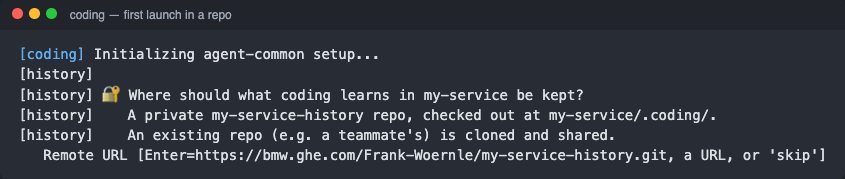
Enter creates a private <repo>-history (via gh), a teammate's URL clones and shares theirs, skip keeps the data local and untracked. Never asked again for that repo. See Per-Repo Tenancy.
Look at what was learned
- Dashboard — Observations, Digests and Insights tabs at localhost:3032.
- Knowledge viewer — the graph, filtered by your active teams:
vkb(opens 127.0.0.1:12436/viewer/coding).
Update the knowledge base
Within a session, ask for it in chat:
"ukb"         # incremental analysis (recent changes)
"ukb full"    # the entire history
"ukb debug"   # single-stepping
Or from a shell: semantic workflow run wave-analysis --team coding. It runs in the background for 10–20 minutes; follow it on the dashboard.