Coding
A self-learning experience layer for AI coding assistants — it captures your sessions, builds knowledge from them, and stops known mistakes before they happen.
In one paragraph
Coding wraps whichever AI coding assistant you use — Claude Code, Copilot CLI, OpenCode or Pi — in a shared environment that records every session, extracts durable knowledge from that history, blocks known mistakes at the moment a tool is called, and reports what it all cost. The assistant is replaceable; the environment around it is the point.
Install and run
git clone --recurse-submodules https://github.com/fwornle/coding ~/Agentic/coding
cd ~/Agentic/coding && ./install.sh
source ~/.zshrc          # or ~/.bashrc
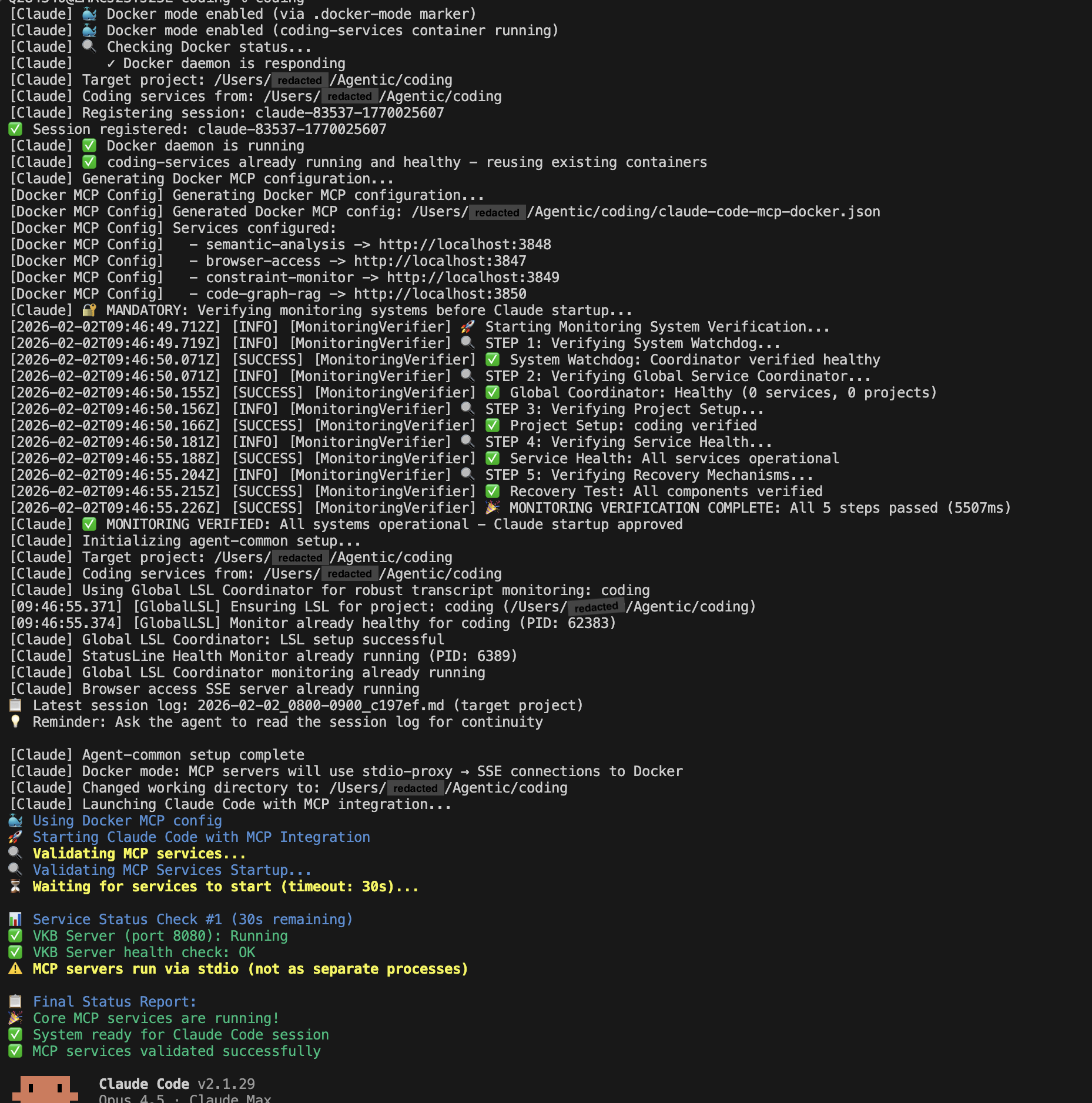
coding                   # launches Claude Code with everything wired up
What you get
| Feature | What it does for you |
|---|---|
| Live Session Logging | Records every prompt, tool call and response, secrets redacted |
| Knowledge Management | Turns that history into a searchable graph — vkb to look at it |
| Constraints | Blocks a bad tool call before it runs, with a suggested fix |
| Health Monitoring | Supervises the services and restarts what dies |
| Status Line | Health, cost and logging state, live in your tmux bar |
| Multi-agent support | The same environment for Claude, Copilot, OpenCode and Pi |
Where to go next
coding --health should come back all green. If it does, read Getting Started; if it does not, go straight to Verify & Repair.
What the layer actually does
Coding is infrastructure that sits around an AI coding assistant rather than inside it. It does four things, and they compound: it captures every session, learns from the accumulated history, prevents repeats of known mistakes, and measures what the work costs.
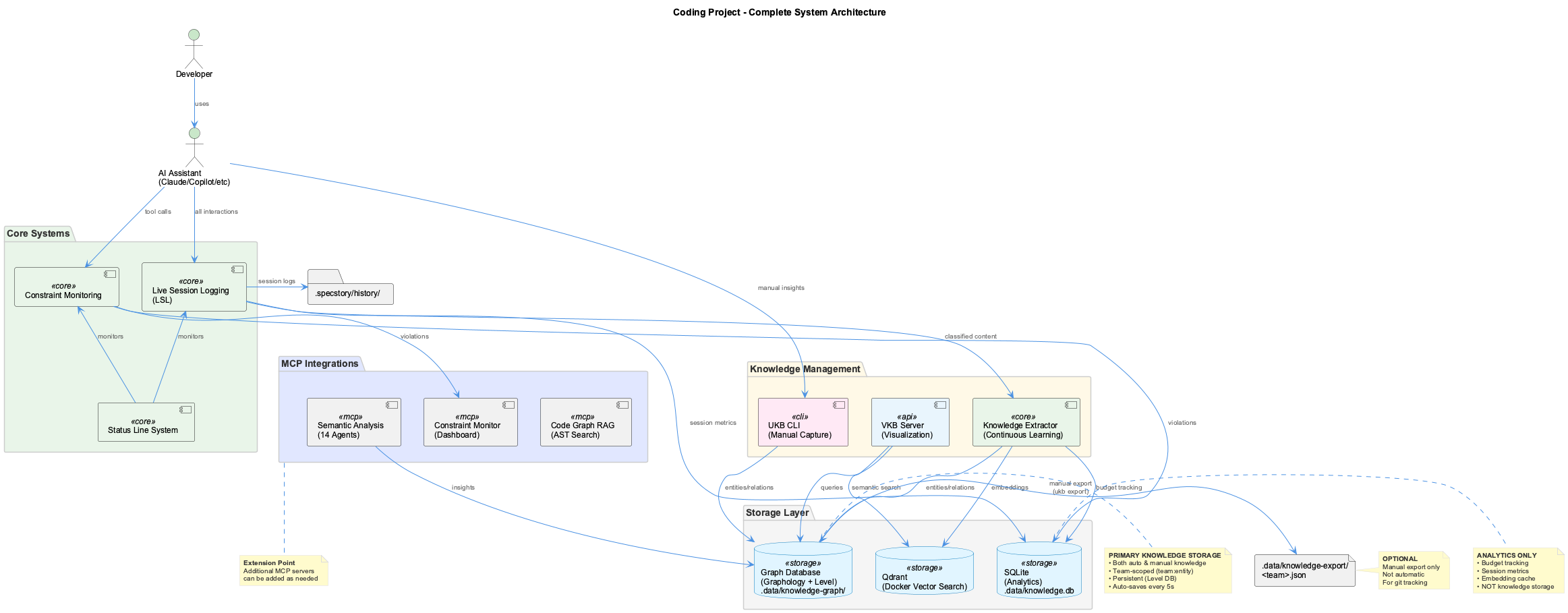
Capture, learn, prevent
Live Session Logging records every conversation automatically into .coding/history/, classifying content so that work touching several projects is routed to the right one, and redacting secrets on the way through. Nothing is asked of you.
Knowledge Management turns that history, plus your git log, into a knowledge graph via a 14-agent extraction pass:
semantic workflow run wave-analysis --team coding   # the extraction pass, async, 10-20 min
semantic workflow status                            # how far it has got
vkb                                                 # browse the result at :8080
Constraints run as PreToolUse hooks, so a violating call is stopped before execution rather than reported afterwards. Twenty-odd rules ship configured; the dashboard at localhost:3030 shows what fired and why.
Health monitoring supervises the services in layers, restarting what dies, and surfaces the result both at localhost:3032 and in the tmux status bar.
Any agent, one environment
Claude Code is the default, but nothing above is specific to it:
| Agent | Launch |
|---|---|
| Claude Code (default) | coding or coding --claude |
| GitHub Copilot CLI | coding --copilot |
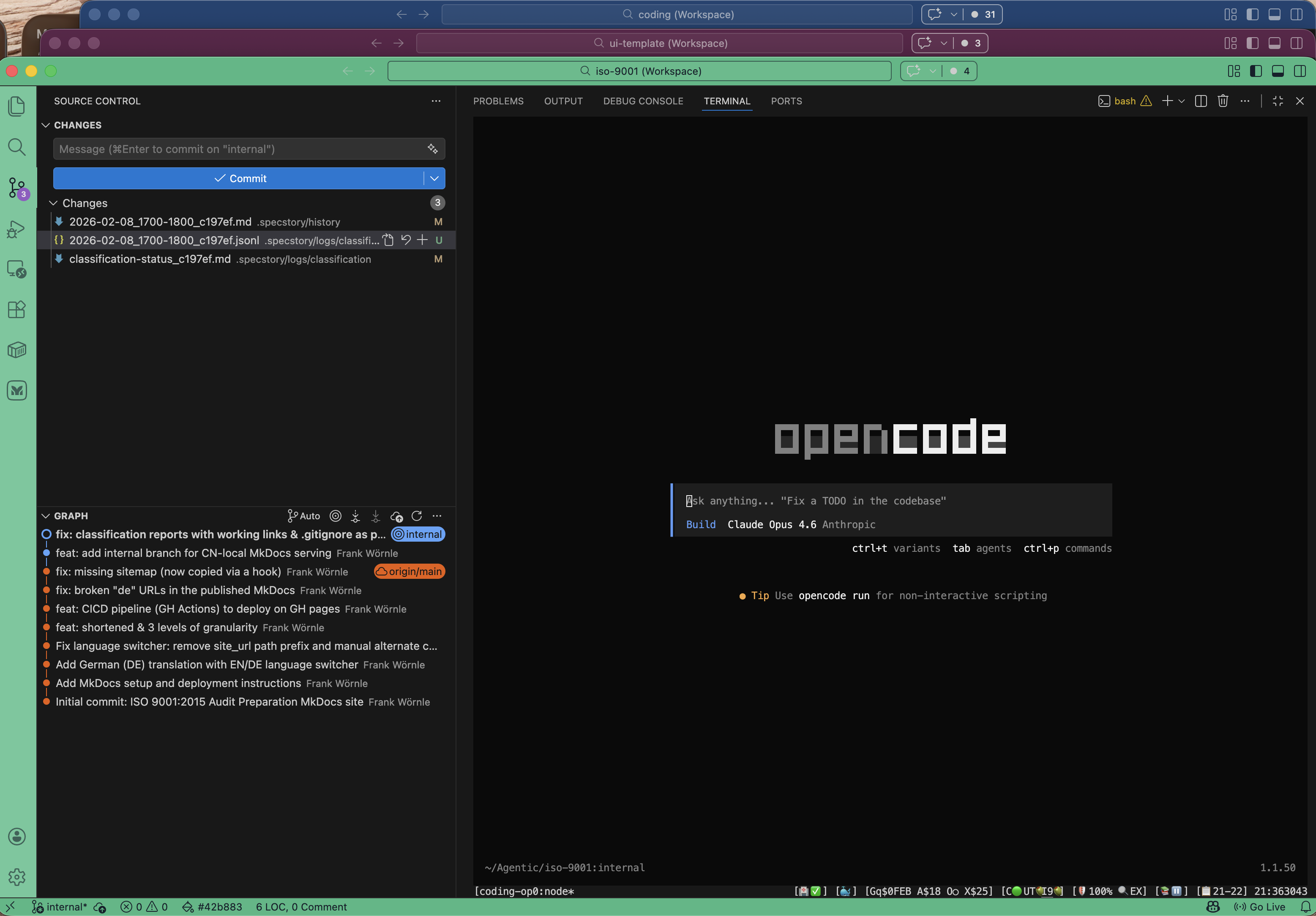
| OpenCode | coding --opencode |
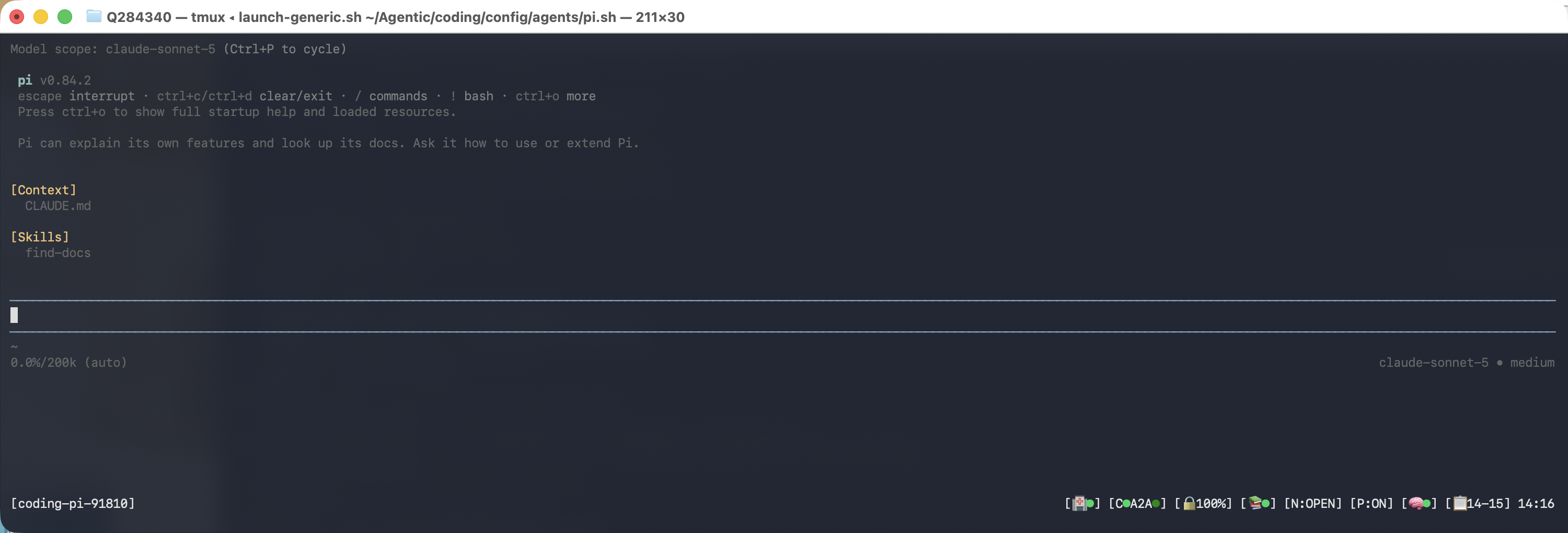
| Pi | coding --pi |
All four share the same tmux wrapping, status line, health monitoring, session logging, knowledge base and constraint enforcement. Adding a fifth is a single config file in config/agents/ — see the Agent Integration Guide.
Always launch through coding. A bare claude session still works, but it is invisible to token accounting because the adapters that capture it are installed per launch.
Everyday commands
| Command | Does |
|---|---|
coding | Start a session with everything running |
coding --health | Check every service |
vkb | Open the knowledge graph viewer |
semantic workflow run wave-analysis --team coding | Refresh the knowledge base |
What is production-ready
Session logging, the knowledge base and viewer, constraints, health monitoring and the status line are all in production use. Online learning — continuous knowledge capture without an explicit pass — is still beta.
A self-learning experience layer for AI coding assistants
Coding wraps around your AI coding assistant to capture conversations, build knowledge, prevent mistakes, and track progress - creating a continuously improving development environment.
What is Coding?
Coding is an infrastructure layer that enhances AI coding assistants by:
- Capturing everything - Automatic session logging of all prompts, tool calls, and responses
- Learning from experience - Build a knowledge base from your coding history and conversations
- Preventing mistakes - Constraint system stops errors before they happen
Key Features
Live Session Logging (LSL)
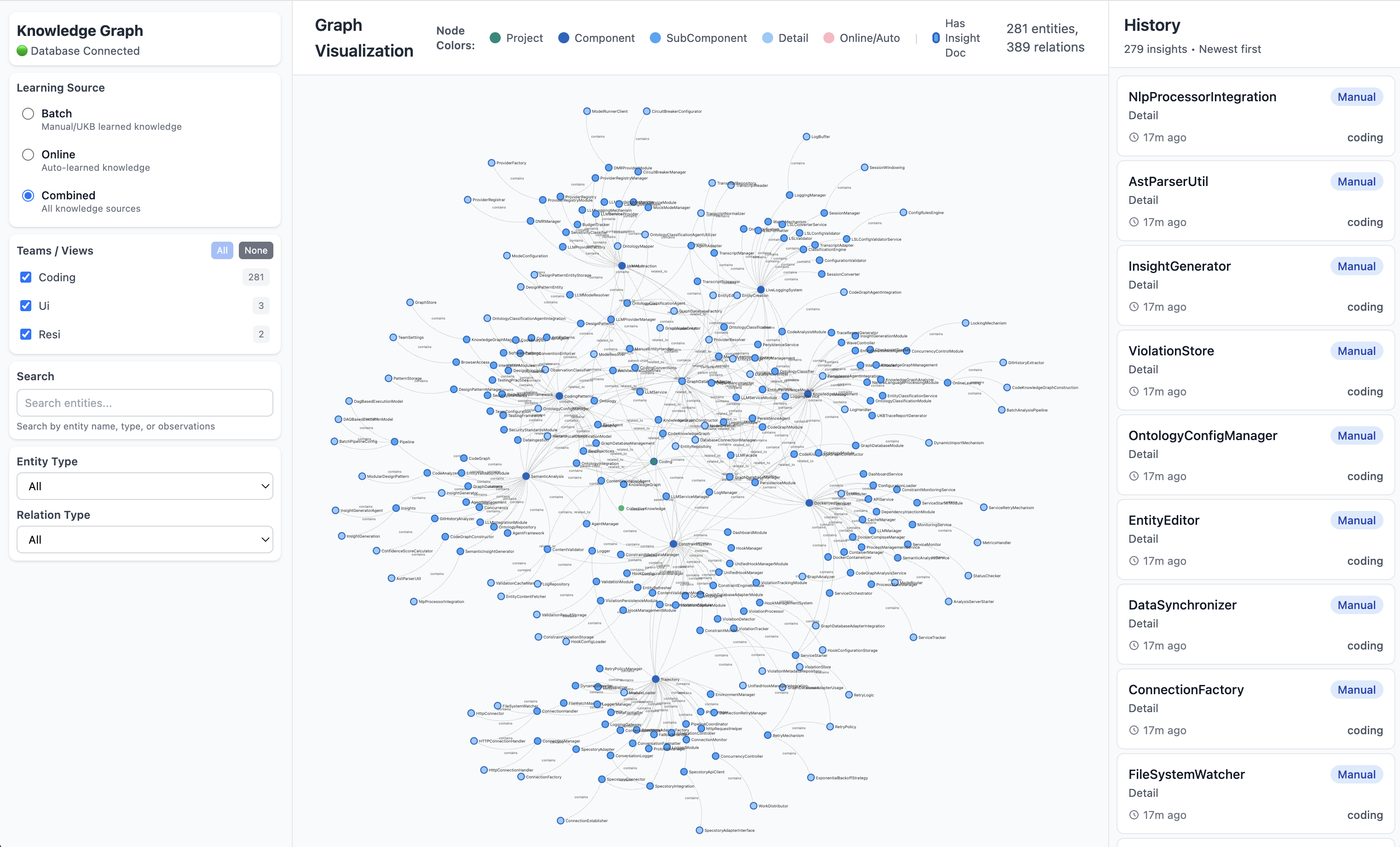
Every conversation is captured automatically with intelligent 5-layer classification that routes content between projects.
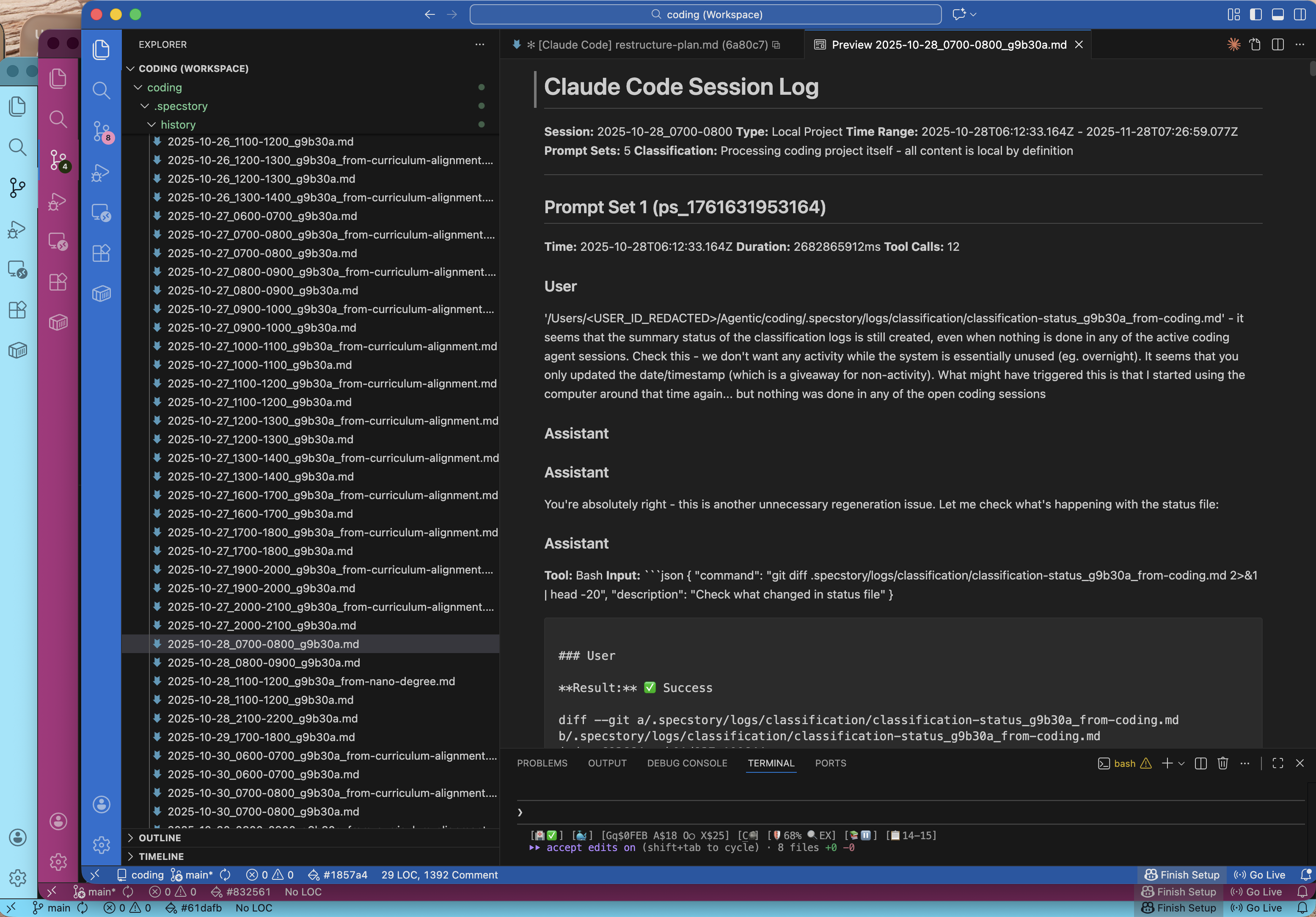
- Real-time monitoring with zero data loss
- Automatic redaction of secrets and credentials
- Multi-project support with foreign session tracking
- Configurable time-based slots (hourly files)
Knowledge Management (UKB/VKB)
A 14-agent AI system extracts insights from your git history and conversation logs, building a searchable knowledge graph.
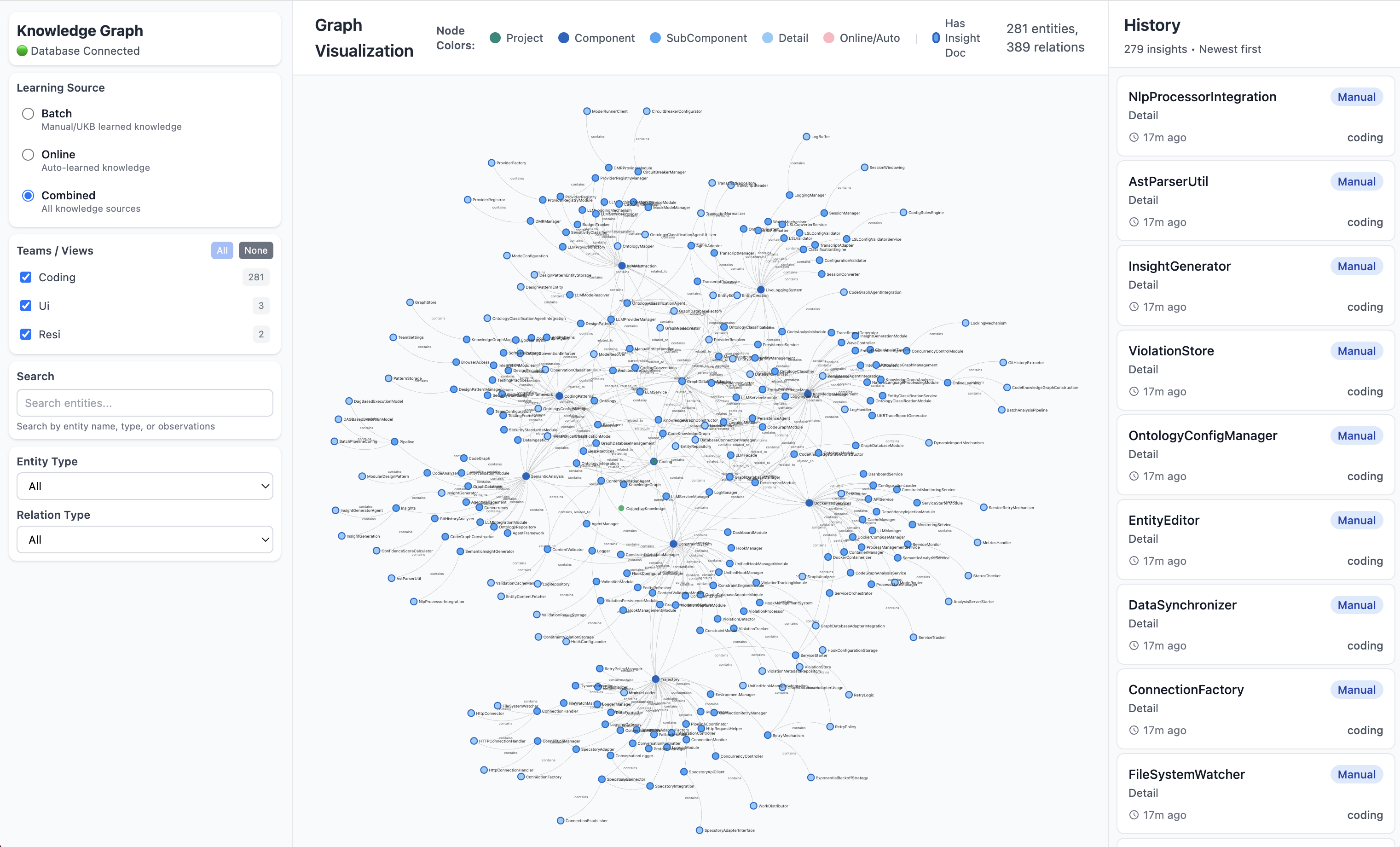
Update Knowledge Base (UKB):
semantic workflow run wave-analysis --team coding           # production pass
semantic workflow run wave-analysis --team coding --debug   # mock LLM, single-step
semantic workflow status                                    # progress of the current run
The pass is asynchronous — the command returns a workflow id and leaves the run going, so watch it on the dashboard or poll semantic workflow status rather than waiting on it.
View Knowledge Base (VKB):
Learn more about Knowledge Management
Constraint System
20+ configurable constraints enforce code quality via PreToolUse hooks - preventing mistakes before they happen.
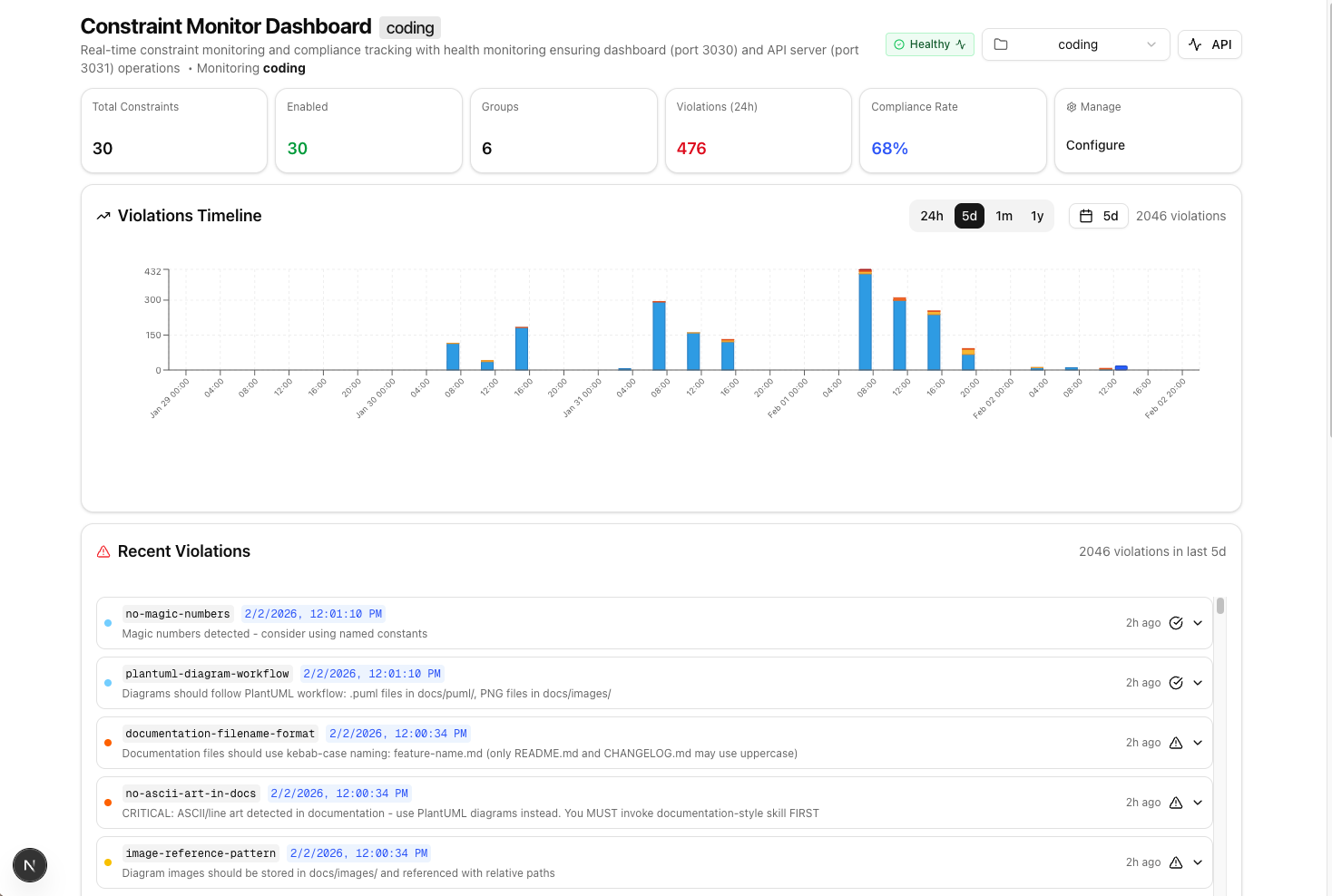
- Real-time violation detection and blocking
- Web dashboard for monitoring and configuration
- Per-project constraint configuration
- Auto-correction suggestions
Health Monitoring
3-layer supervision architecture ensures system reliability with automatic recovery.
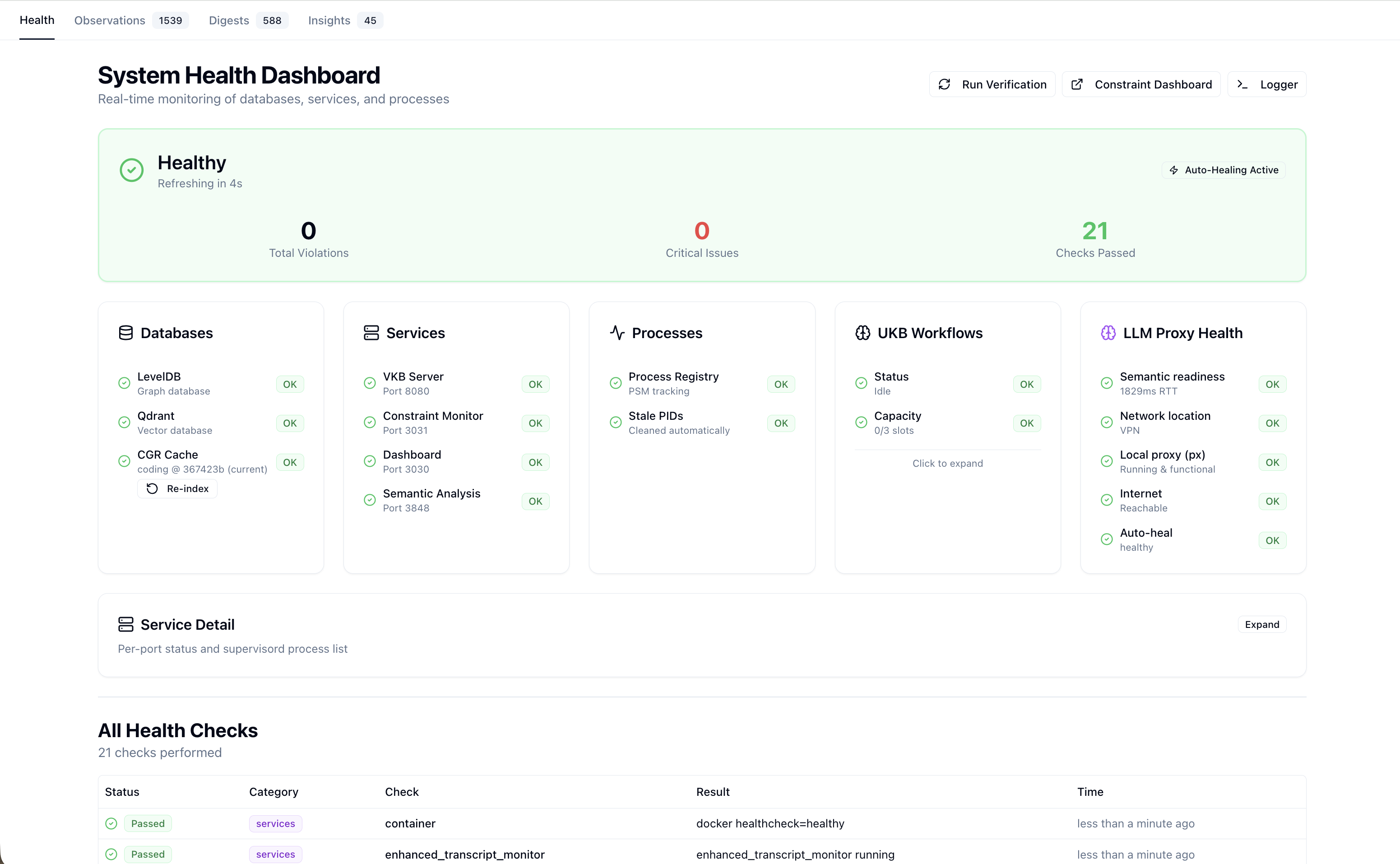
- Process health monitoring with automatic restart
- Service lifecycle management
- Multi-agent workflow visualization
- LLM call tracing (tokens, duration, costs)
Learn more about Health Monitoring
Status Line
Real-time feedback via the unified tmux status bar showing system health, costs, and development state. All coding agents (Claude, Copilot, OpenCode, Pi) are wrapped in tmux sessions with a shared status line rendered by combined-status-line.js.
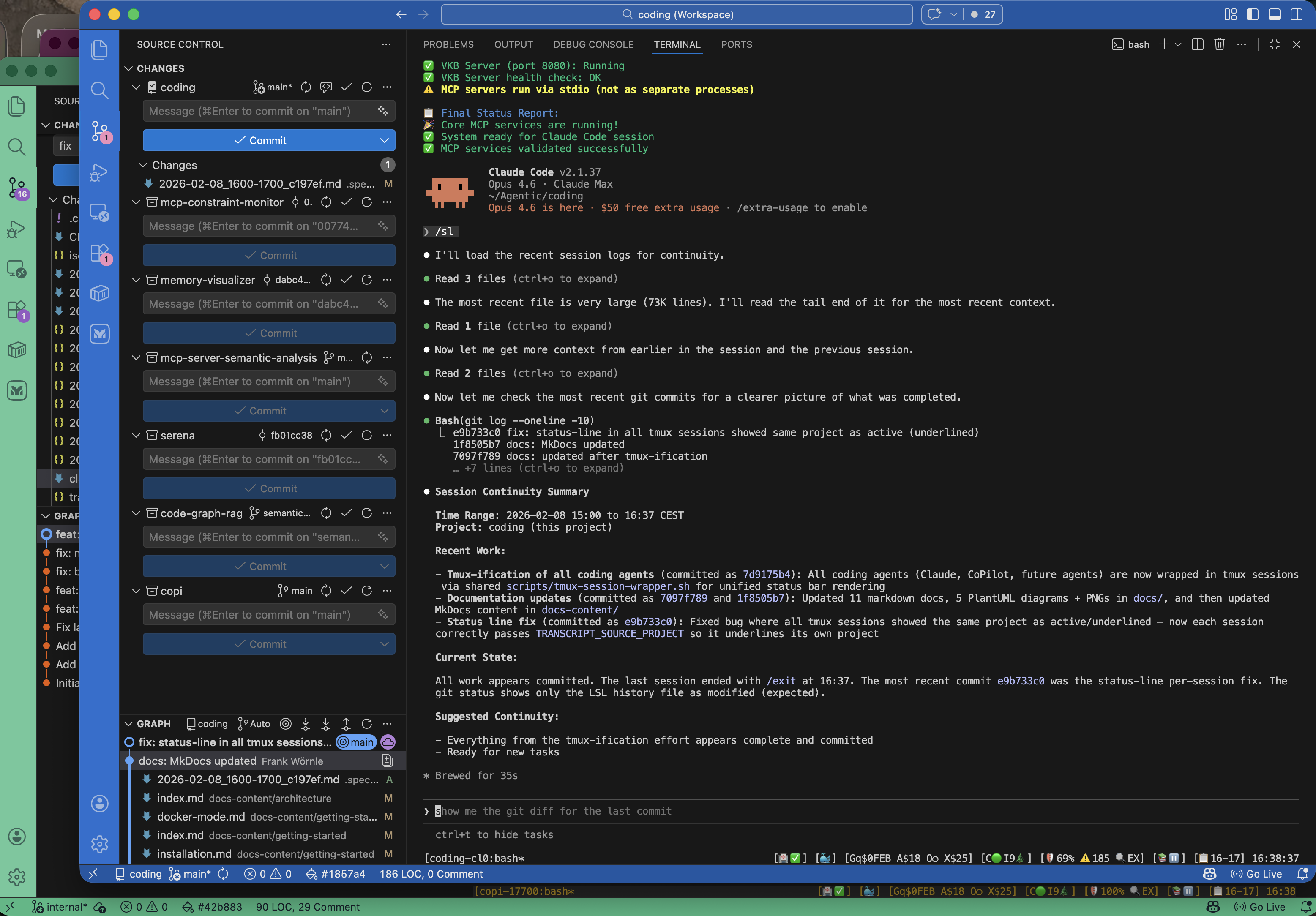
| Indicator | Meaning |
|---|---|
| Health icons | Service status (green/red) |
| Cost display | API usage tracking |
| LSL status | Logging window and routing |
Multi-Agent Support
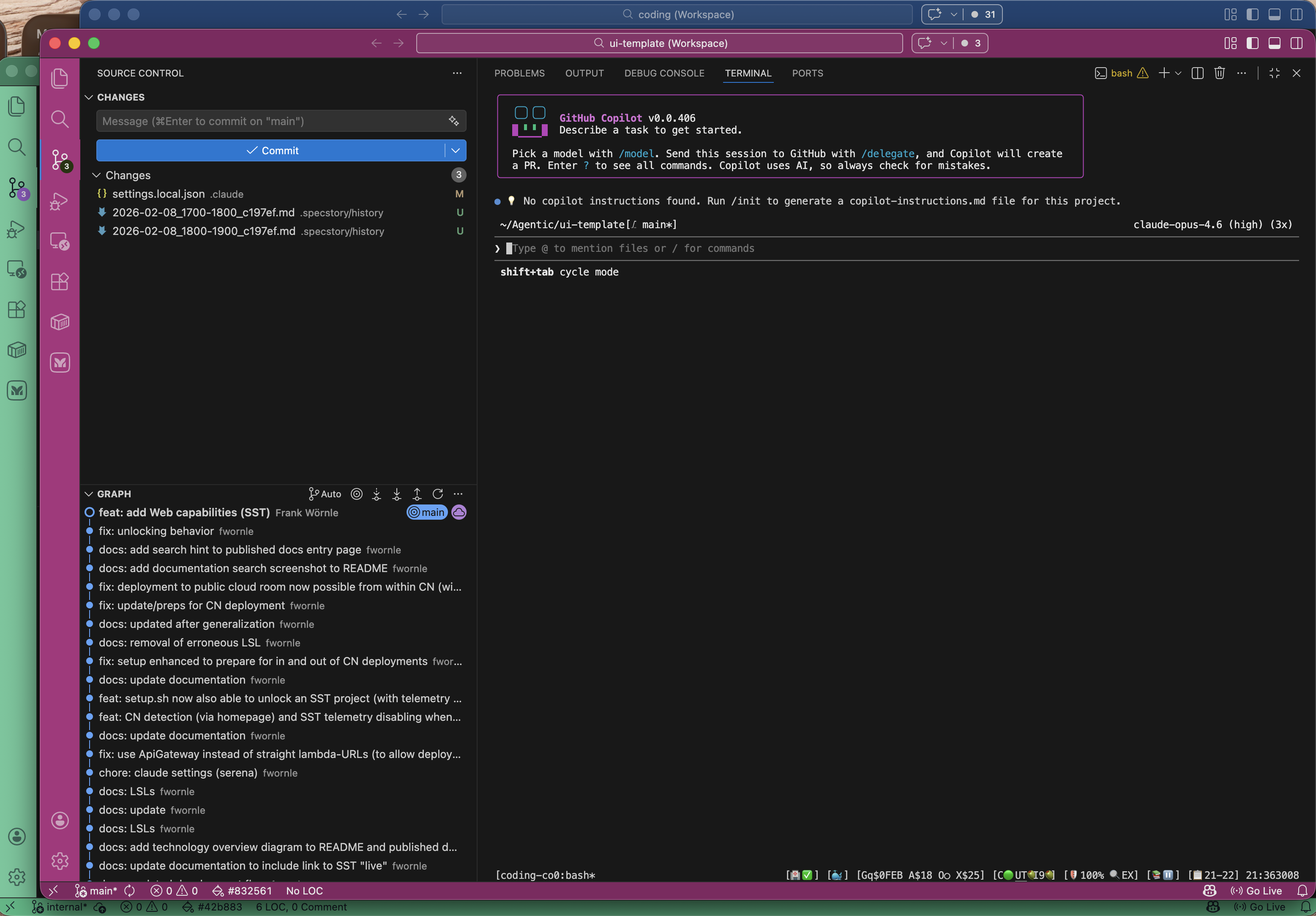
While Claude Code is the primary and default agent, coding is fully agent-agnostic. Any coding assistant can be integrated with a single config file — no changes to shared code needed.
| Agent | Launch | Status |
|---|---|---|
| Claude Code (default) | coding or coding --claude | Full MCP integration |
| GitHub Copilot CLI | coding --copilot | Pipe-pane I/O capture |
| OpenCode | coding --opencode | Pipe-pane I/O capture |
| Pi | coding --pi | Native session JSONL |
All agents share the same infrastructure: tmux session wrapping, status line, health monitoring, LSL session logging, knowledge management, and constraint enforcement. Missing agent CLIs are auto-installed on first launch.
Quick Start
# Clone and install
git clone --recurse-submodules https://github.com/fwornle/coding ~/Agentic/coding
cd ~/Agentic/coding && ./install.sh

# Reload shell
source ~/.bashrc  # or ~/.zshrc

# Start coding with all features
coding

# View your knowledge graph
vkb
Design Principles
| Principle | Description |
|---|---|
| Agent-Agnostic | Designed for any AI assistant — add a new agent with a single config file. Claude, CoPilot, OpenCode, and Pi integrated |
| Non-Intrusive | Docker deployment keeps your system clean |
| Provider Flexible | Works with Anthropic, OpenAI, Groq, and local LLMs (DMR/llama.cpp) |
| Multi-Project | Handle multiple projects with automatic context routing |
| Multi-Developer | Session logs tagged per user for collaboration |
| Self-Healing | 3-layer supervision with automatic recovery |
Feature Status
| Feature | Status | Description |
|---|---|---|
| Live Session Logging | Production | Full session capture with 5-layer classification |
| Knowledge Base (UKB) | Production | 14-agent knowledge extraction system |
| Knowledge Viewer (VKB) | Production | Graph visualization and exploration |
| Constraint System | Production | 20+ constraints with web dashboard |
| Health Monitoring | Production | 3-layer supervision architecture |
| Status Line | Production | Real-time terminal feedback |
| Online Learning | Beta | Continuous learning without manual UKB |
MCP Integrations
Coding provides several MCP (Model Context Protocol) servers:
| Integration | Purpose |
|---|---|
| Semantic Analysis | 14-agent AI-powered code analysis |
| Constraint Monitor | Real-time violation detection |
| Graphify | tree-sitter static code graph (file-based, no database) |
Documentation
-
Getting Started
Installation, configuration, and first steps
-
Core Systems
LSL, UKB/VKB, Constraints, Observational Memory
-
Integrations
MCP servers and external tools
-
Guides
Deep-dive tutorials and workflows